Your Cart

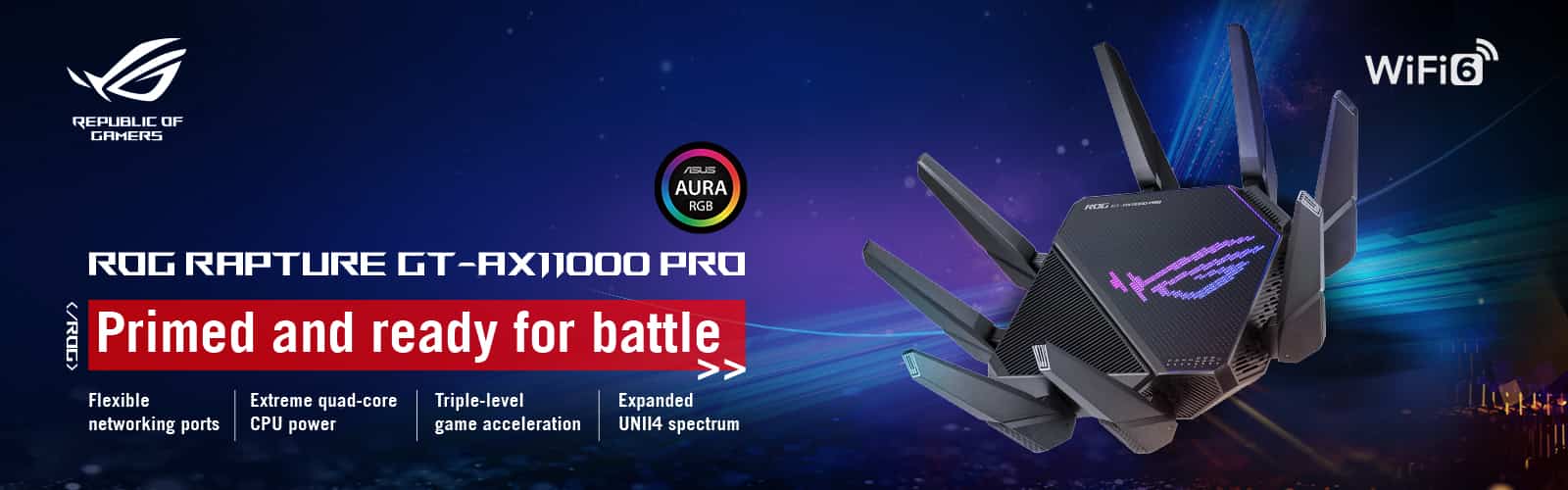
Get your Asus Router at a reasonable price in BD
ASUS, a leading name in the realm of ICT products, has consistently delivered top-notch networking solutions, and their ASUS routers are no exception. In this article, we will explore the remarkable features and capabilities of ASUS routers that make them a standout choice for individuals and businesses alike. ASUS has always been at the forefront of technology innovation, and their routers are no different. ASUS routers come equipped with the latest advancements in Wi-Fi technology, such as Wi-Fi 6, which offers lightning-fast speeds and better performance, even in crowded networks. This ensures that your online experience is smooth and lag-free, whether you're streaming 4K content, gaming, or conducting video conferences. ASUS offers AiMesh technology. This innovative feature allows you to create a mesh network by connecting multiple ASUS routers, providing a seamless and unified Wi-Fi experience throughout your entire property. Asus Lyra Voice AC2200 Tri-Band Mesh WiFi Router is one of the best routers available in the market, say goodbye to Wi-Fi dead spots once and for all.
Gamers demand low latency and high speeds, and ASUS Gaming Routers deliver just that. With specialized features like Gaming Port prioritization and Adaptive QoS, ASUS routers optimize your gaming experience, ensuring minimal lag and a competitive edge. Enjoy online gaming at its finest with ASUS. TUF Gaming AX5400, ROG Rapture GT-AX6000, and ROG Rapture GT-AC2900 are some of the best gaming routers available on the market. You can cover a large area with wireless networks with the help of Asus mesh routers. Asus Lyra Voice AC2200 Tri-Band Mesh WiFi Router is one of the best routers available in the market. Even Asus basic routers such as ASUS RT-N12+ are far more advanced than other routers available on the market. Whether you're looking for a high-end model or a more basic option, Asus has a router that will meet your needs.
Asus Router Login: A Step-by-Step Setup Guide
Your ASUS router plays a crucial role in ensuring a stable and secure internet connection for all your devices. Setting it up correctly is essential to unleash its full potential. In this step-by-step guide, we'll walk you through the process of setting up your ASUS router.Step 1: Unbox and Connect
- Unbox your ASUS router and gather all the included accessories: the router itself, power adapter, and Ethernet cable.
- Place your router in a central location, ideally not too far from your modem and within the Wi-Fi coverage area.
- Connect the router to the power source using the provided power adapter. Wait for it to power on and stabilize.
Step 2: Connect to Your Router
- Use an Ethernet cable to connect your router to your modem. Plug one end of the cable into the WAN port on your router and the other end into the modem.
- Connect your computer or device to the router. You can do this either via Ethernet cable or through Wi-Fi.
- To connect via Wi-Fi, locate the default Wi-Fi network name (SSID) and password on a label on the router. Connect to this network using the provided credentials.
Step 3: Access the Router's Web Interface
- Open a web browser on your connected device.
- In the address bar, type the default IP address for ASUS routers, which is usually "192.168.1.1" or "192.168.0.1," and press Enter.
- You will be prompted to log in. Use the default username and password (often "admin" for both) unless you've changed them previously.
Step 4: Configure Basic Settings
- Once logged in, you'll be in the router's web interface. Start by changing the default login credentials for security purposes.
- Follow the on-screen instructions to set up your internet connection type (e.g., DHCP, PPPoE). You might need the credentials provided by your internet service provider.
- Set up your Wi-Fi network. Choose a strong and unique Wi-Fi name (SSID) and password. This is essential for your network's security.
- You can also configure other settings, such as time zones, firmware updates, and more, depending on your preferences.
Step 5: Additional Customizations
- Explore advanced settings based on your specific needs. ASUS routers offer a wide range of customization options, including Quality of Service (QoS), VPN, and parental controls.
- Make sure to save your settings after any changes.
Step 6: Test Your Connection
- Once you've configured your router, it's a good practice to test your internet connection to ensure it's working correctly. Open websites, stream videos, and check the speed of your connection.
- If you encounter any issues, refer to your router's user manual or ASUS support for troubleshooting assistance. Or you can message us, we will be more than happy to help.
Where you can find the Asus Router in BD?
Asus routers stand out as a fantastic choice for individuals seeking high-speed internet, outstanding performance, and hassle-free installation. Moreover, they come at an attractive price point, making them the perfect option for those mindful of their budget. If you're currently on the lookout for a new router, Asus deserves a spot on your list. You can conveniently discover your next Asus router at Global Brand PLC. Feel free to explore our online store, make your purchase of an Asus router from the comfort of your home, and enjoy complimentary home delivery. Alternatively, you can also pay a visit to any of our nearby branches for a firsthand experience.
Asus
- AC2600 dual-band Wi-Fi router for high-speed business networking
- Dual-WAN support with load balancing and failover for reliability
- 4x4 MIMO with ASUS AiRadar for stable and extended Wi-Fi coverage
- Built-in M.2 SATA slot for high-speed network storage expansion
- Advanced security with AiProtection, VLAN, and IPsec VPN support
৳9,000.00

- Dual-band WiFi 7 up to 3600 Mbps with MLO and 4K-QAM
- ASUS AiMesh coverage up to 6500 sq. ft. with seamless expansion
- 4x internal antennas with high-power modules to reduce dead zones
- 24/7 AiProtection Pro security with built-in VPN support
- Dual 2.5G Ethernet ports with auto detection
৳25,000.00

- Antenna: 4x External Antenna
- Data Speed: up to 1032 Mbps + up to 2882 Mbps + up to 5764 Mbps
- Band: 2.4 GHz, 5 GHz, and 6 GHz
- Feature: Support new 4096-QAM, 10G port, Superior 6 GHz WiFi, AiMesh support, Triple-level Protection
- Warranty: 2 Year Brand Warranty
৳35,000.00
- Antenna: 8x Internal antenna
- Band: 2.4 GHz and 5 GHz
- Data Speed: 1376Mbps + up to 5764Mbps
- Feature: Support new 4096-QAM, 10G port, Mobile Game Mode, AURA RGB, AiMesh support
- Warranty: 2 Year Brand Warranty
৳26,000.00

- Next-generation WiFi 7 router boosts speeds up to 3600 Mbps
- All-new 4096-QAM offers a 1.2 times increase in transmission speed
- Equipped with the all-new quad-core powerhouse CPU
- Support AiMesh to create a whole-home mesh network
- TUF Gaming BE3600 is built to be durable and reliable, stable operation
৳20,000.00
- WiFi 7 Dual-Band Router Delivers Speeds up to 6500 Mbps
- WiFi 7 with 4K-QAM & Multi-Link Operation
- Quad 2.5GbE Ports with Dedicated Gaming Port
- Comprehensive Security with AiProtection Pro
- Smart Home Master & AiMesh Support
৳24,000.00
%20WiFi%206%20AX3000%20Whole-Home%20Mesh%20Router-200x200.webp "ASUS ZenWiFi XD5 (2-Pack) WiFi 6 AX3000 Whole-Home Mesh Router")
- Whole-home Coverage
- Operating in 160MHz of Wifi 6 standard for faster, more efficient networking
- The lifetime free cloud-based security is powered by Trend Micro
- The iconic design also supports wall mounting
- 3-step setup and easy management with Athe SUS Router App
৳20,500.00
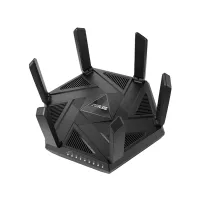
- Ultra-fast WiFi 6E Technology
- One-Tap Safe Browsing
- Complete Security for Home Network with AiProtection Pro & WPA3 Security Protocol
- AiMesh Supported, Easy Extendable Network
- Multi-Gigabit Wired Connection
৳27,500.00
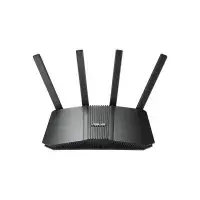
New Arrival
- WiFi 7 Smart AiMesh Extendable System
- Speeds of up to 3600 Mbps & Coverage up to 2,000 sq. ft.
- No WiFi dead zones, Always-On Connection
- Comprehensive Triple-level Protection
- 8K streaming, HDR gaming, & Enhanced AI networking.
৳16,500.00
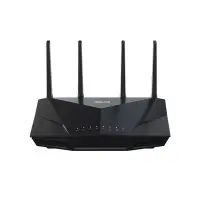
- High efficiency WiFi 6
- Delivers up to 5,400 Mbps speed
- Commercial-grade security anywhere
- Advanced parental controls
- Easy extendable network
৳21,000.00
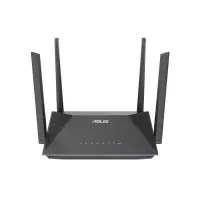
- AX1800 Dual Band WiFi 6 Extendable Router
- Band: 2.4 GHz and 5 GHz
- Antenna: External antenna x 4
- Data Speed: AX1800 ultimate AX performance: 1201 Mbps+ 574 Mbps
- Coverage: 2,500 square feet (in open space)
৳6,500.00

- Dual Band WiFi 6 AiMesh Router
- Band: 2.4 GHz and 5 GHz
- Antenna: Internal antenna x 5
- Data Speed: AX4200 ultimate AX performance: 574+3603 Mbps
- Features: WiFi for Smart Homes, One-Tap Safe Browsing, Commercial-Grade Security Anywhere
৳15,000.00
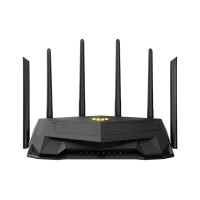
- Dual Band WiFi 6 Gaming Router
- Band: 2.4 GHz and 5 GHz
- Antenna: External antenna x 6
- Data Speed: AX6000 ultimate AX performance: 1148+4804 Mbps
- Coverage: 4500 sq. feet in open space
৳22,500.00
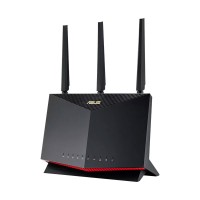
- Antenna: External antenna x 3, Internal PCB antenna x 1
- Band: 2.4GHz & 5GHz
- Mbps: 861+4804 Mbps
- Memory: 256 MB Flash and 1 GB RAM
৳35,000.00
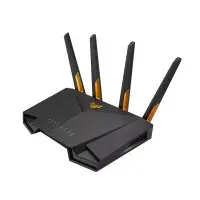
- Antenna: External antenna x 4
- Band: 2.4GHz, 5GHz
- Data Speed: 574+3603 Mbps
- Feature: 4,305 square feet( coverage in open space.
৳17,500.00

- Antenna: Internal dual-band antenna x 2
- Band: 2.4 GHz , 5 GHz
- Mbps: 1201 Mbps+ 574 Mbps
- Feature: 4305 ~ 5381 Sq. Ft. coverage in open space
৳25,500.00

- Antenna: External antenna x 8 (non-detachable)
- Band: 2.4GHz , 5GHz-1, 5GHz-2
- Mbps: 1148Mbps+4804Mbps+4804Mbps
- Feature: 5920-6696 sq. ft coverage in open space.
৳63,000.00
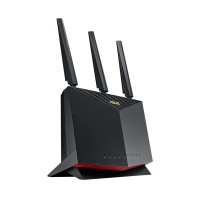
- Antenna: External antenna x 3, Internal PCB antenna x 1
- Band: 2.4 GHz , 5 GHz
- Mbps: 861Mbps 2.4GHz + 4804Mbps 5GHz
- Feature: 4306-4843 sq. ft coverage in open space.
৳25,000.00

- Antenna: External antenna x 4
- Band: 2.4GHz, 5GHz
- Mbps: 2402 Mbps+ 574 Mbps
- Feature: Coverage up to 2500 Sq ft. in open space.
৳12,000.00
%20AC1900%20Dual%20Band%20Wifi%20Router-200x200.jpg "ASUS RT-AC68U AiMesh (2 Pack) AC1900 Dual Band Gigabit Wifi Router")
- Antenna: External antenna x 3
- Band: 2.4 GHz , 5 GHz
- Mbps: 600+1300 Mbps
- Feature: Up to 6000 square feet (2 Pack) in open space
৳25,000.00